

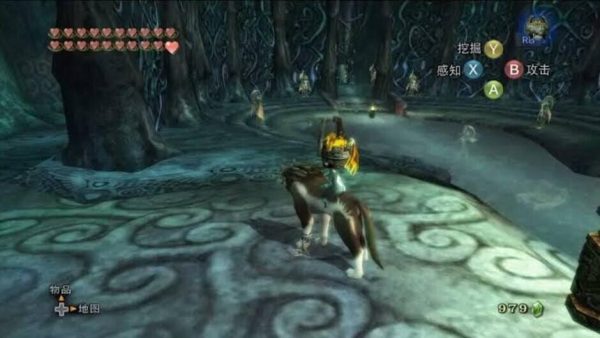

The Legend of Zelda: Twilight Princess – Native Switch Port (Homebrew)
This release is based on the open-source, native decompiled re-implementation of the game by TwilitRealm, featuring a custom Vulkan API port for Nintendo Switch by givethesourceplox.
What’s Included:
-
Game ROMs: Includes the European PAL GameCube version compressed in RVZ format (Zstandard Level 19, Block Size 128 KB), alongside the Russian translated ROM by Zelda64rus v2.0 (released February 7, 2015).
-
Optional HD Textures: Features the custom ZTP 4K 3.0c (1080p) HD texture pack by Henriko Magnifico, consisting of ~13,800 files totaling roughly 2.2 GB.
Optimal Performance Settings
⚠️ Note: This is an early, first-stage homebrew release for the Switch. Bugs, stutters, and performance drops may occur.
For the smoothest gameplay experience, we highly recommend applying a maximum overclock on your Switch console, then adjusting the in-game settings as follows:
-
Press the
—(Minus) button to open the in-game menu. -
Navigate to Settings > Video and apply these tweaks:
-
Internal Resolution:
540p -
Shadow Resolution:
1x -
Unlock Framerate:
Off
-
-
Cheats can also be enabled directly via the built-in Cheats menu.
How to Install
-
Copy Files: Transfer the
duskfolder directly to the root of your microSD card. -
Install NSP: Install the
Dusk Twilight Princess [01a43f49196b0000].nspfile using your preferred installer (DBI is highly recommended). -
Load the Game: Launch the homebrew app. From the main menu, select “Select Disk Image” > open the
duskfolder > choose either the translated.isoROM or the original.rvzfile, and press Play. -
Enjoy!
Optional (HD Textures Installation):
To enjoy the 1080p HD textures by Henriko Magnifico, simply extract the Optional HD Textures ZTP 4K 3.0c (1080p).7z file directly to the root of your Switch’s microSD card.





Comments